

Product 360° View (M1)
v1.0.0
Drop us an email at [email protected] for any Query.
As the name itself suggests, Zestard’s “Product 360° View Extension” allows you to illustrate the product details in the best possible way. This extension enables you to spin the product image 360° to give a thorough detail of the products. The product image can be zoomed for a better view and can be played in loop for a deep look.
Stability : This is the first stable release of extension.
Supported releases : This extension is tested and working great on Magento Community Edition 1.7.x, 1.8.x and 1.9.x successfully.

Screenshots

Important Features of Product 360° View (M1)
- View image using mouse hover and drag by doing the same.
- Invert 360 view (event left to right will view right-left check out demo by enabling invert).
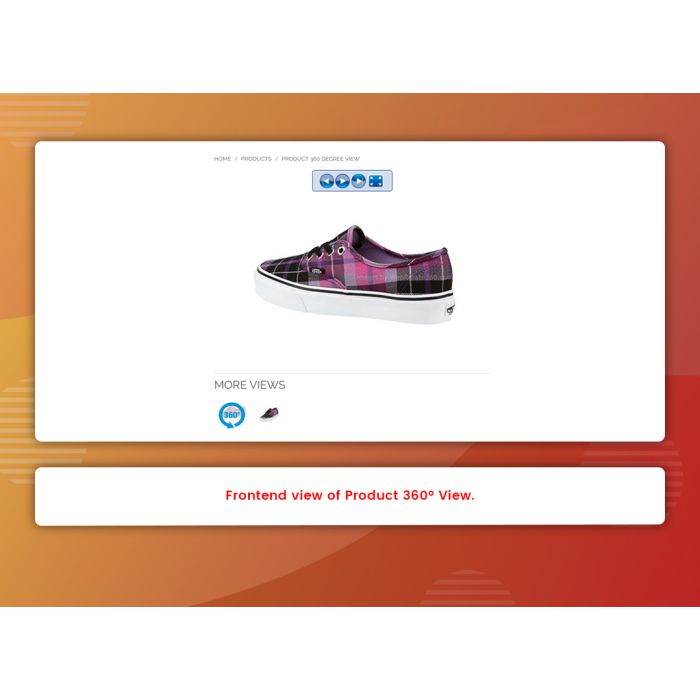
- Navigation buttons to play/pause 360 view.
- Navigation buttons left 360 view and right 360 view.
- Full screen 360 view.
- Mouse wheel zoom in and out feature.
As the name itself suggests, Zestard’s “Product 360° View Extension” allows you to illustrate the product details in the best possible way. This extension enables you to spin the product image 360° to give a thorough detail of the products. The product image can be zoomed for a better view and can be played in loop for a deep look.
It doesn't loads images simultaneously, it shows a single image at a time that makes it more efficient and helps the page load faster.
The extension can be used for these industries but not limited to:
- Automobile
- Electronics
- Smartphones
- Furniture
- Jewelry
- Clothing
- Real Estate
Main Features :
- View image using mouse hover and drag by doing the same.
- Invert 360 view (event left to right will view right-left check out demo by enabling invert).
- Navigation buttons to play/pause 360 view.
- Navigation buttons left 360 view and right 360 view.
- Full screen 360 view.
- Mouse wheel zoom in and out feature.
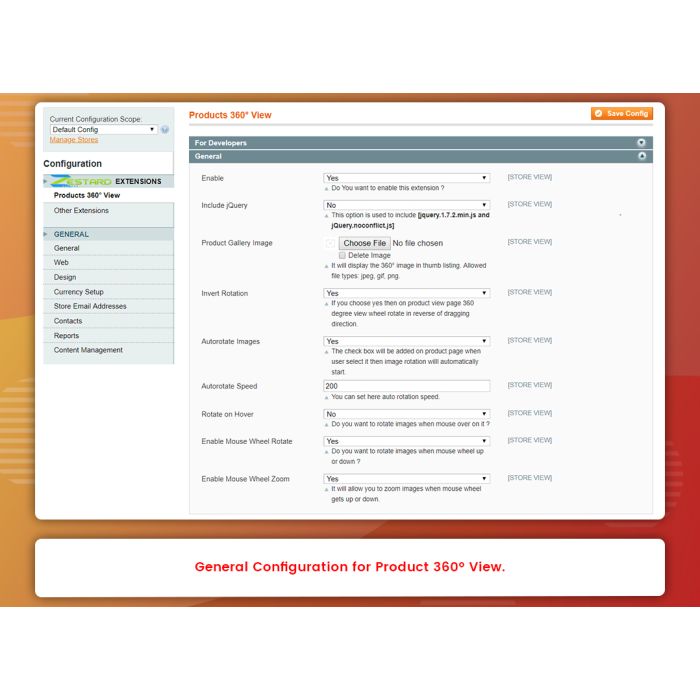
- Auto play enable / disable from admin.
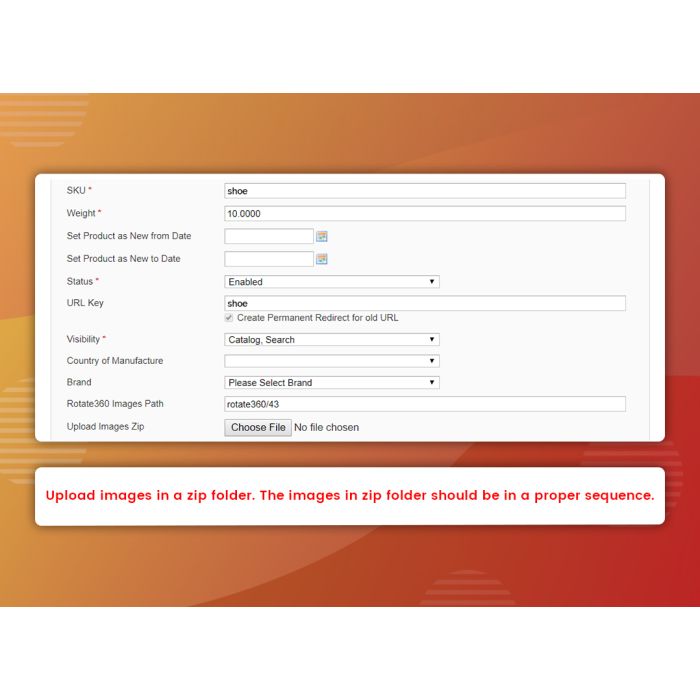
- Easy to upload images from product edit page.
- Easy to manage events from back end. It can be managed manually as well.
Stability : This is the first stable release of extension.
Supported releases : This extension is tested and working great on Magento Community Edition 1.7.x, 1.8.x and 1.9.x successfully.
How to install/configure :
- Install extension from magento connect by key. If you are using version 1.7 or below then use ready to paste package first extract the ready to paste package and upload with (not within) app directory.
- Then follow the steps according to System >> Configuration >> Zestard Extensions >> Products 360° View >> For Developers.
- Please copy and paste the following lines in below file.
/app/design/frontend/YourPackage/YourTheme/template/catalog/product/view/media.phtml
If media.phtml does not exist then find which media.phtml on your product view you are using and then copy and paste the below 3 lines as per guide.
Before product-image class and if condition put below code.
Line 1 : <?php echo $this->getChildHtml('360degreeview'); ?>
In If block inside <ul> tag put below line.
Line 2 : <?php echo $this->getChildHtml('360degreethumb'); ?>
Line 3 : In Else block create structure same as if block except loop and other unnecessary elements simply just put parent div with same class and <ul> and then inside <ul> put below line
<?php echo $this->getChildHtml('360degreethumb'); ?>
Visit that product page.
Version 1.0.1- June 10, 2019
- Compatibility with enterprise edition - Product 360 view degree view allows to view product from all directions is an enterprise edition
Version 1.0.0 - April 22, 2019
- Initial Commit - Mouse wheel zoom in and out feature. -> Autoplay enable/disable from admin. -> View image using mouse hover and drag by doing the same. -> Invert 360 view (event left to right will view right-left checkout demo by enabling invert). -> Navigation buttons to play/pause 360 views. -> Navigation buttons left 360 views and right 360 views. -> Fullscreen 360 views.
General Questions
Yes. The extension provides navigation buttons to pause/play view.
Yes. Extension provides functionality of enable/disable autoplay from admin
Yes. This extension is responsive and supports all major devices and browsers.
No. This extension loads a single image at a time that helps the page load faster.
Write Your Own Review


Featured Products