
Zestard Rental Booking

Drop us an email at [email protected] for any Query.
Offer rental products with flexible booking options, customize rental durations and availability, and manage them from your WooCommerce dashboard.
Screenshots
Important Features of Zestard Rental Booking
- Admin can configure Donation view and emails from Admin panel.
- In Email Receipt, admin can setup an email template’s status, subject, receipients and additional content from this tab.
- Admin can add donations on backend. And those donations will be displayed on frontend. It is allows you to add Image and Description of the donation.
- In Backend on Donation page, admin can choose different options like dropdown, pricebar range and input field for selecting donation amount.
- There is a Track Donation page to view the summary of total donations. It will also allows you apply filter on donation’s name and year.
- On Orders page of WooCommerce, admin can check the total donations of current order.
Offer rental products with flexible booking options, customize rental durations and availability, and manage them from your WooCommerce dashboard.
Transform Your Store Into a Rental Powerhouse
Zestard is the complete rental booking solution for your WooCommerce store. Whether you’re renting equipment, clothes, or any other items.
See It In Action
Real screenshots from the actual plugin showing exactly how it works. From customer-facing booking interfaces to powerful admin controls.
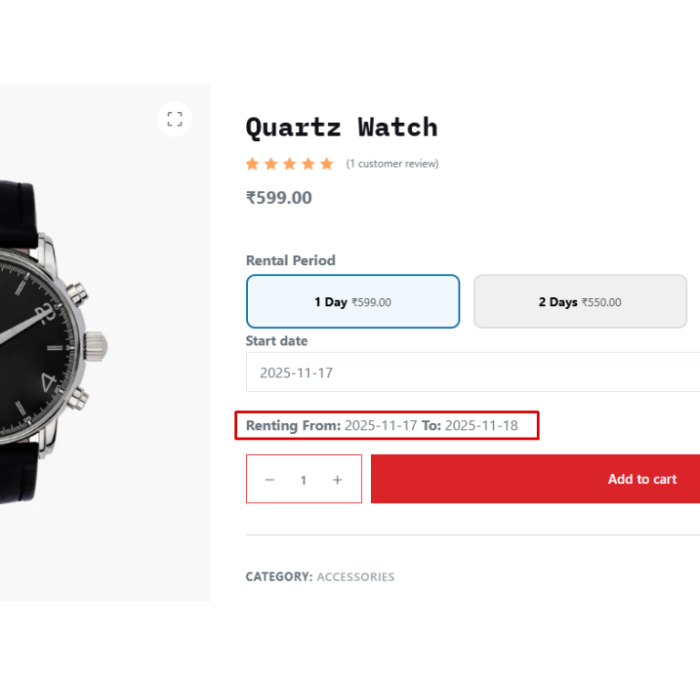
Product Page Integration
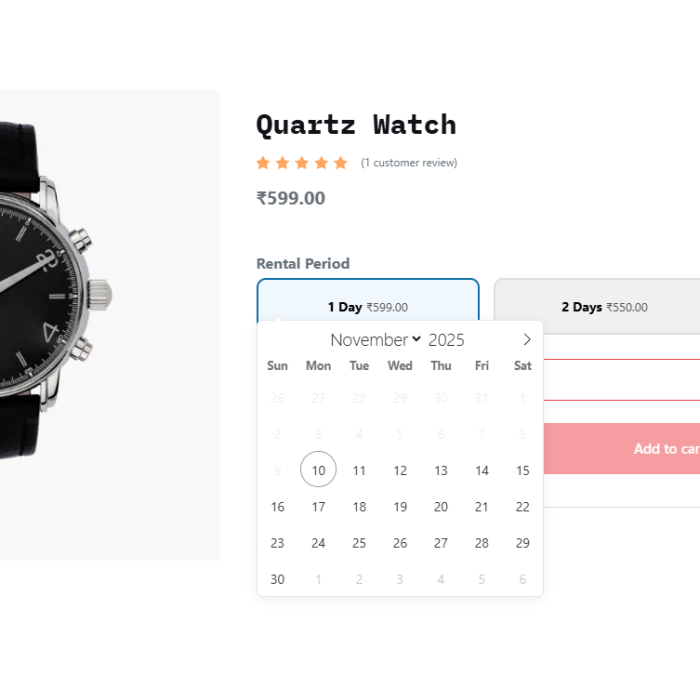
Transform any WooCommerce product into a rental item with our intuitive interface. Customers can easily select rental duration, choose start dates, and see pricing updates in real-time. The booking interface integrates perfectly with your existing product pages.
Interactive Calendar Date Picker
Customers can select their rental dates using a calendar interface. The calendar shows availability in real-time, prevents booking conflicts, and automatically calculates rental duration and total cost. Perfect for providing a smooth booking experience.
Complete Cart & Checkout Integration
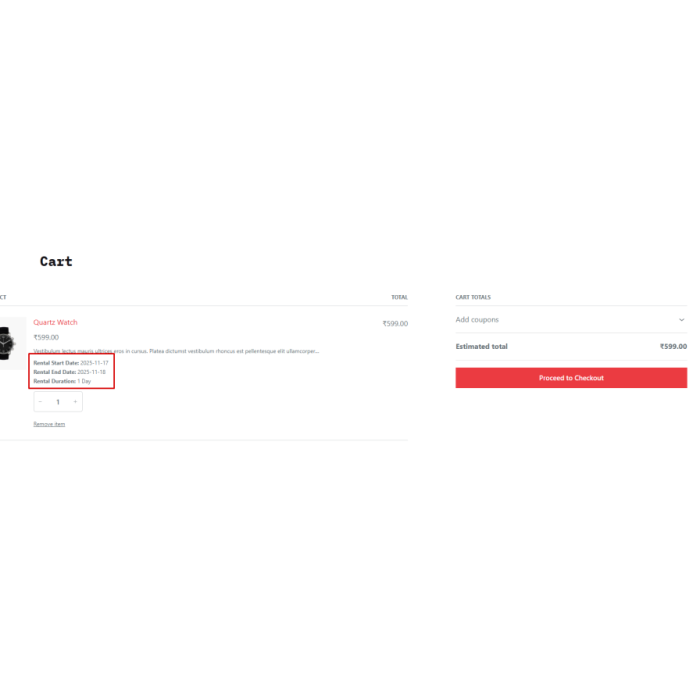
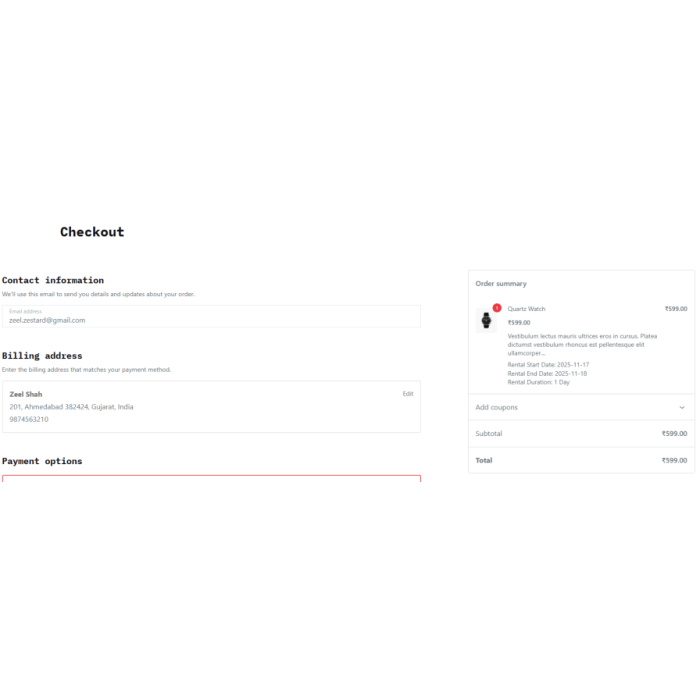
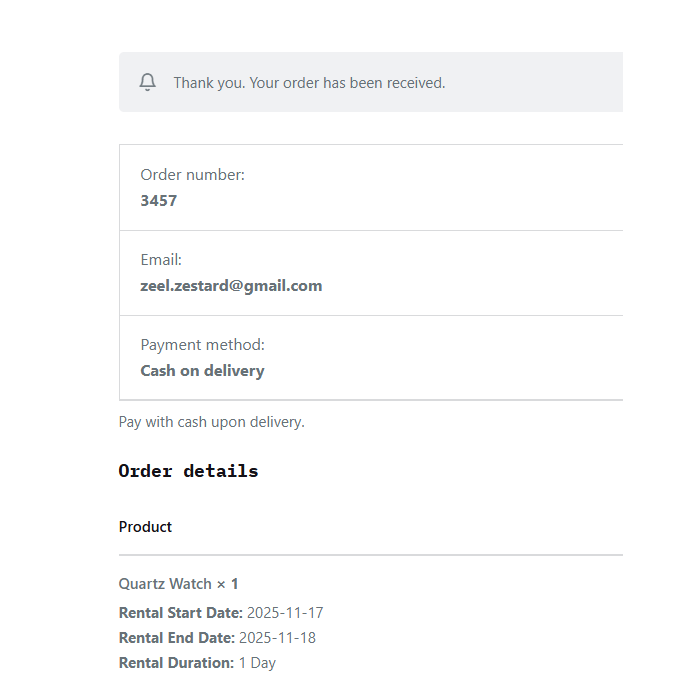
Rental details are displayed throughout the checkout process. Customers can see their rental start date, end date, and duration in both the cart and checkout pages. All rental information is preserved through the entire purchase flow and included in order confirmations.
Order Conformation
Admin Product Configuration
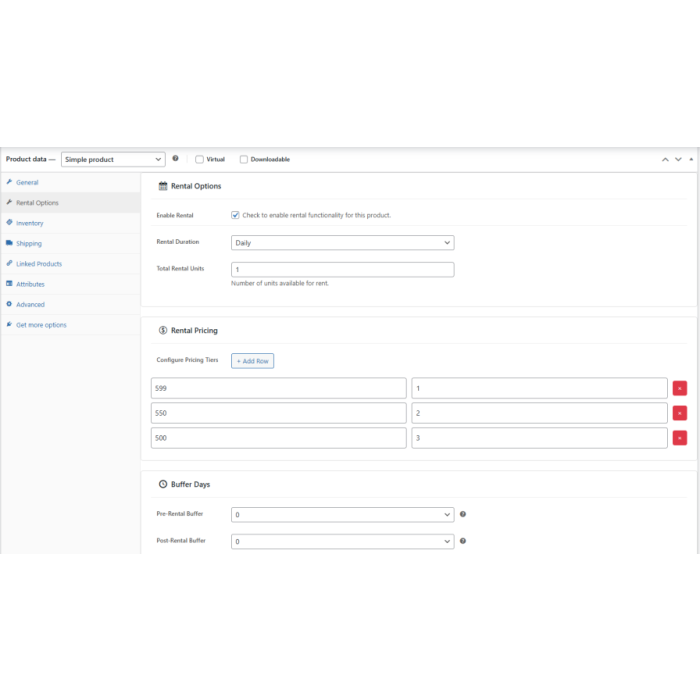
Configure rental functionality for each product with precision. Enable rental mode with a single checkbox, set rental duration types (daily, weekly, monthly), define total rental units available, and create flexible pricing tiers. Set buffer days to manage maintenance between bookings.
Flexible Pricing & Settings Configuration
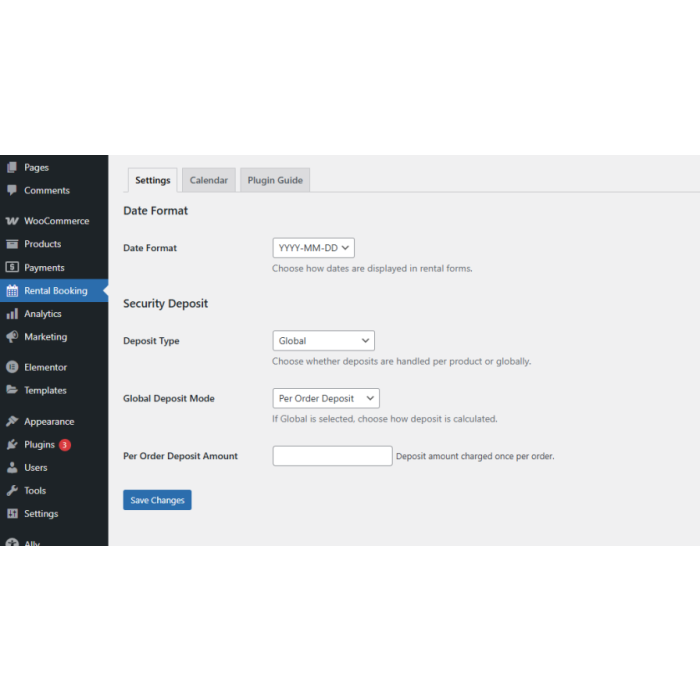
Create sophisticated pricing structures with multiple duration tiers. Set different prices for 2-day, 3-day rentals, or longer periods. Configure rental settings, including date formats, deposit requirements (global or per-product), and buffer periods to optimize your rental operations.
Advanced Rental Calendar Management
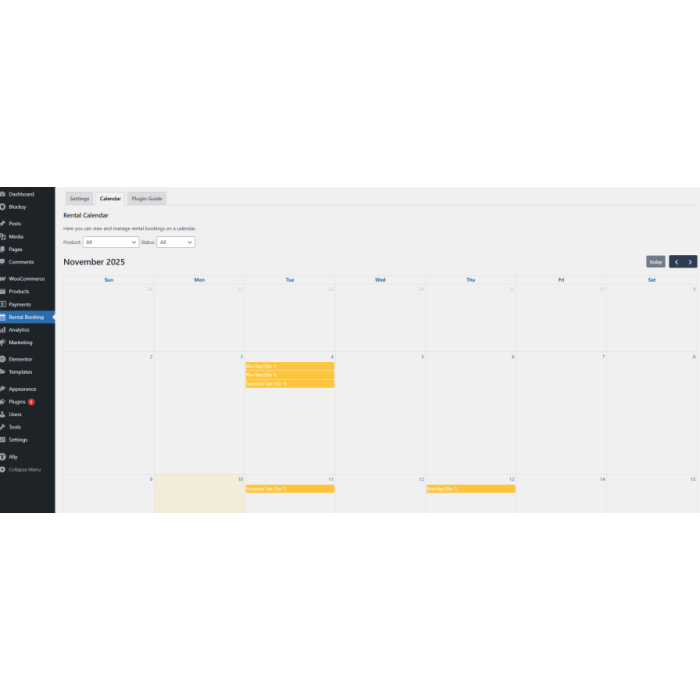
View and manage all rental bookings from a centralized calendar interface. See which products are booked on which dates, track booking status, filter by product or status, and get a complete overview of your rental schedule at a glance.
Global Settings
Configure deposits globally or per product, and manage deposit collection at checkout. Set Date Format.
General Questions
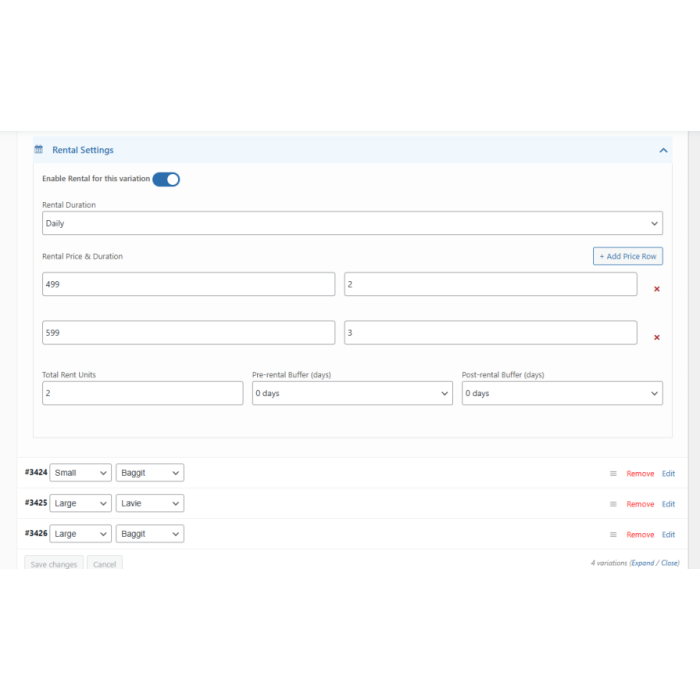
Yes, the extension supports both simple and variable WooCommerce products. You can set unique rental prices, durations for each variation.
Yes, it tracks product availability based on confirmed bookings and prevents overlapping rental dates.
Absolutely! You can configure flexible rental durations such as daily, weekly, or monthly pricing – even with custom options per product or variation.
Yes, you can add pre-rental and post-rental buffer days to ensure preparation or maintenance time between bookings.
Write Your Own Review


Featured Products